 BlockDistraction




Monthly
$2.99
per month
Stay focused at work or while studying with simple website blocking and Strict Mode.
Chrome, Firefox, Edge, Brave and Opera on desktop. On Android: Firefox or Edge.
Pro adds custom Focus durations, schedules, Daily Limits and rule list profiles.
 8.9/10 overall · 9.5/10 Security & Privacy
Code review: v5.6.12 · November 16, 2026
Afrikaans 🇿🇦, Amharic 🇪🇹, Arabic 🇸🇦, Bengali 🇧🇩, Bulgarian 🇧🇬, Catalan 🇪🇸, Chinese (China) 🇨🇳, Chinese (Taiwan) 🇹🇼, Croatian 🇭🇷, Czech 🇨🇿, Danish 🇩🇰, Dutch 🇳🇱, English (US) 🇺🇸, English (Canadian) 🇨🇦, English (UK) 🇬🇧, Estonian 🇪🇪, Filipino 🇵🇭, Finnish 🇫🇮, French 🇫🇷, German 🇩🇪, Georgian 🇬🇪, Greek 🇬🇷, Gujarati 🇮🇳, Hebrew 🇮🇱, Hindi 🇮🇳, Hungarian 🇭🇺, Indonesian 🇮🇩, Italian 🇮🇹, Japanese 🇯🇵, Kannada 🇮🇳, Korean 🇰🇷, Latvian 🇱🇻, Lithuanian 🇱🇹, Malay 🇲🇾, Malayalam 🇮🇳, Marathi 🇮🇳, Norwegian 🇳🇴, Odia 🇮🇳, Persian 🇮🇷, Polish 🇵🇱, Portuguese (Brazil) 🇧🇷, Portuguese (Portugal) 🇵🇹, Romanian 🇷🇴, Russian 🇷🇺, Serbian 🇷🇸, Slovak 🇸🇰, Slovenian 🇸🇮, Spanish 🇪🇸, Spanish (Latin America) 🇲🇽, Swahili 🇰🇪, Swedish 🇸🇪, Tamil 🇮🇳, Telugu 🇮🇳, Thai 🇹🇭, Turkish 🇹🇷, Ukrainian 🇺🇦, Vietnamese 🇻🇳.
The extension automatically uses your browser's language. No additional setup is required.
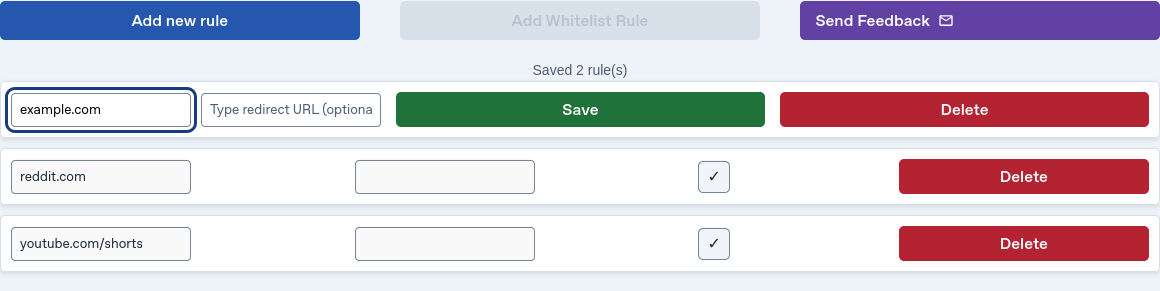
Block up to 10 distracting websites instantly. Simple, fast and free forever.
Switch between named setups such as Work or Study so only the blocking setup for your current context is active.
Website addresses are checked locally to apply your rules. We do not receive your browsing history or rule contents. Optional technical analytics are off by default and exclude browsing activity.

Choose when to block a site or give it a daily time budget before blocking begins.
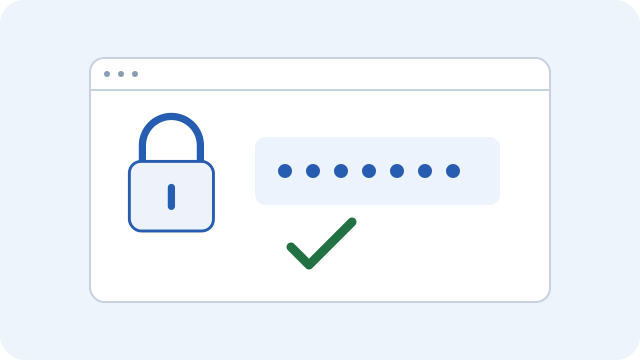
Lock your settings with a password and stop yourself from disabling rules in a moment of weakness.
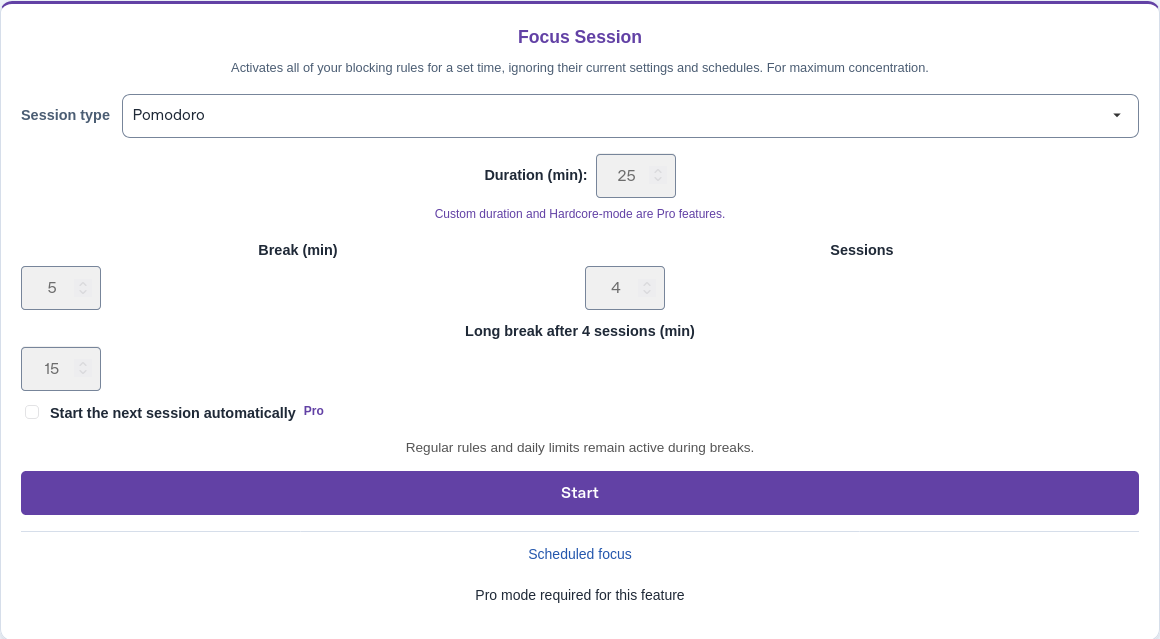
Start a 25-minute Focus Session or use Pomodoro work and break cycles. Free Pomodoro uses 25/5 intervals with manual continuation; Pro adds custom intervals, automatic continuation and Hardcore Mode.
Focus Sessions
Set aside the distracting tabs and give your next task your full attention. Start a Focus Session when you are ready to concentrate.
25-minute sessions and basic Pomodoro are free. Try 25/5 work and break cycles without an account. Pro adds custom intervals, automatic continuation, Hardcore Mode and Scheduled Focus for recurring single sessions.
See how Focus Sessions workVideo could not play. Try again or open the video directly.
Prices in USD. Taxes included.
✔ Monthly and Annual offer one 7-day free trial per account and can be canceled at any time.
✔ Lifetime is a one-time purchase with no recurring billing. Every new paid purchase, including Lifetime, is covered by a 30-day money-back guarantee. See our Refund Policy.
✔ 👑 Universal License Feature: Your single Pro key unlocks premium benefits on Chrome (Desktop) and Firefox / Edge (Desktop & Android Mobile).
7 days free (one trial per account), then $2.99/month. Automatically renews every month until canceled. Cancel before the trial ends to avoid a charge.
7 days free (one trial per account), then $19.99/year. Automatically renews every year until canceled. Cancel before the trial ends to avoid a charge.
One payment. No recurring billing. Pro access for the lifetime of the product.
Privacy: Your browsing history, blocked website addresses and rule contents are not sent to our servers. Optional aggregate technical diagnostics are disabled by default and can be controlled in the Extension settings. Account and license information is used to provide account and Pro services, and payments are securely handled by Paddle. For details, see our Privacy Policy.