 BlockDistraction
Pomodoro Website Blocking on Desktop and Android: Work, Break, Repeat
Pick one task, work for a set time, then take a break. BlockDistraction 5.7.0 puts that rhythm inside the browser: Pomodoro alternates Focus Sessions and breaks using your existing website rules.
Check your version: Pomodoro requires 5.7.0 or later. Updates may reach Chrome Web Store, Firefox Add-ons and Edge Add-ons at different times.
Start with a free 25/5 cycle
- Add at least one blocking rule for a distracting website.
- Open BlockDistraction’s popup or Extension Settings and find Focus Session.
- Choose Pomodoro under Session type, review the settings and select Start.
- Work for 25 minutes. The cycle then moves to a 5-minute break.
- When the break ends, select Start next work session when you are ready. The free cycle contains four work sessions.
No account is needed for the free preset or the first 10 blocking and redirect rules. If you want a single timer, choose Focus Session instead of Pomodoro.
What happens during a break?
The temporary Focus Session override ends for the break. Your normal rules take over: an always-blocked site stays blocked, a scheduled rule follows its schedule, and Daily Limits still apply. Taking a break does not reset a used-up daily allowance.
During the countdown, Skip break and start work begins the next work session early. With manual continuation, finishing the break leaves the cycle waiting for you. End Pomodoro asks for confirmation before cancelling the remaining cycle; it does not merely finish the current interval.
The cycle ends after its final work session. There is no extra timed break at the end.
Choose the amount of structure you need
| Setting | Free | Pro |
|---|---|---|
| Work and short breaks | 25 minutes / 5 minutes | 1–240 minutes for each interval |
| Work sessions per cycle | 4 | 1–12 |
| Next work session | Start manually | Manual or automatic continuation |
| Long breaks | 5-minute breaks only | After every fourth work session, if more work remains |
| Hardcore cycle lock | Not included | Whole cycle, including breaks |
Legacy access also includes the customizable controls. For example, Pro can run six 30-minute work sessions with 5-minute short breaks and a 20-minute long break after session four. Automatic continuation is optional unless you enable Hardcore Mode.
Hardcore protects the whole cycle
Check the Locked until time before starting. A Hardcore Pomodoro requires automatic continuation and prevents normal extension controls from cancelling the cycle during work or a break. Rule editing also stays locked during breaks.
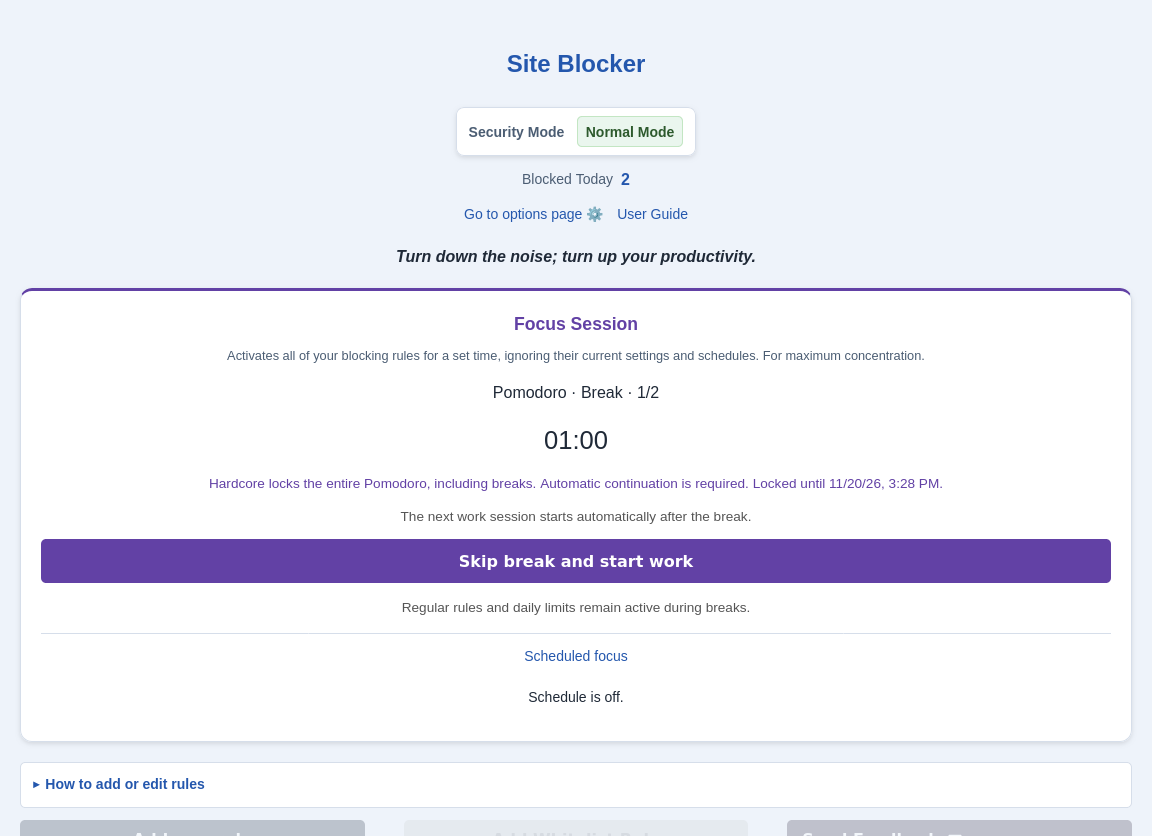
You can skip a break and start work early; this shortens the remaining cycle rather than cancelling it. Restarting the browser does not clear the saved end time. Hardcore protects the extension’s normal controls; it is not a device-wide restriction on removing an extension or using another app.
A timer in the browser you already use
Pomodoro works in supported desktop browsers and Firefox or Edge on Android. It uses local timers and your URL rules: no AI page classification, camera access or separate focus app is required. Blocking and site-usage data remain on your device. Pro license checks and optional technical diagnostics have separate purposes; diagnostics are off by default. Read the data-flow summary.
A Universal Pro License works across supported browsers and devices, including the Lifetime plan. Each installation keeps its own cycle and rules; the license does not synchronize your focus timer. Android blocking applies inside the supported browser, not in a separate YouTube, Reddit or social app.
Scheduled Focus still starts a single normal Focus Session on selected days. It does not schedule a Pomodoro cycle.
Start with one task and the free preset. If you need different intervals or automatic transitions, compare Pomodoro features and Pro plans. For the controls step by step, open the Pomodoro user guide.